Simple non-hype agentic coding workflow that works for well-established codebases
I’ve been experimenting with an agentic coding workflow that significantly speeds up my day-to-day ticket work. I’ve found it works well for most developers who want to start using CLI agents (Claude Code, Codex CLI, OpenCode, etc.) instead of relying on inline suggestions and chat.
This workflow has been tested on a medium-sized, established codebase with good test coverage and well-defined abstractions.
I currently use Codex CLI with one AGENTS.md file in the repository root.
AGENTS.md
I only have two sections here, business and tech. Business section describes a high-level overview of what this project is about. Tech section outlines commands on how to compile the codebase, run unit tests, run integration tests and bootstrap the application. This provides a feedback loop for the agent to fix basic issues.
Repository Organization
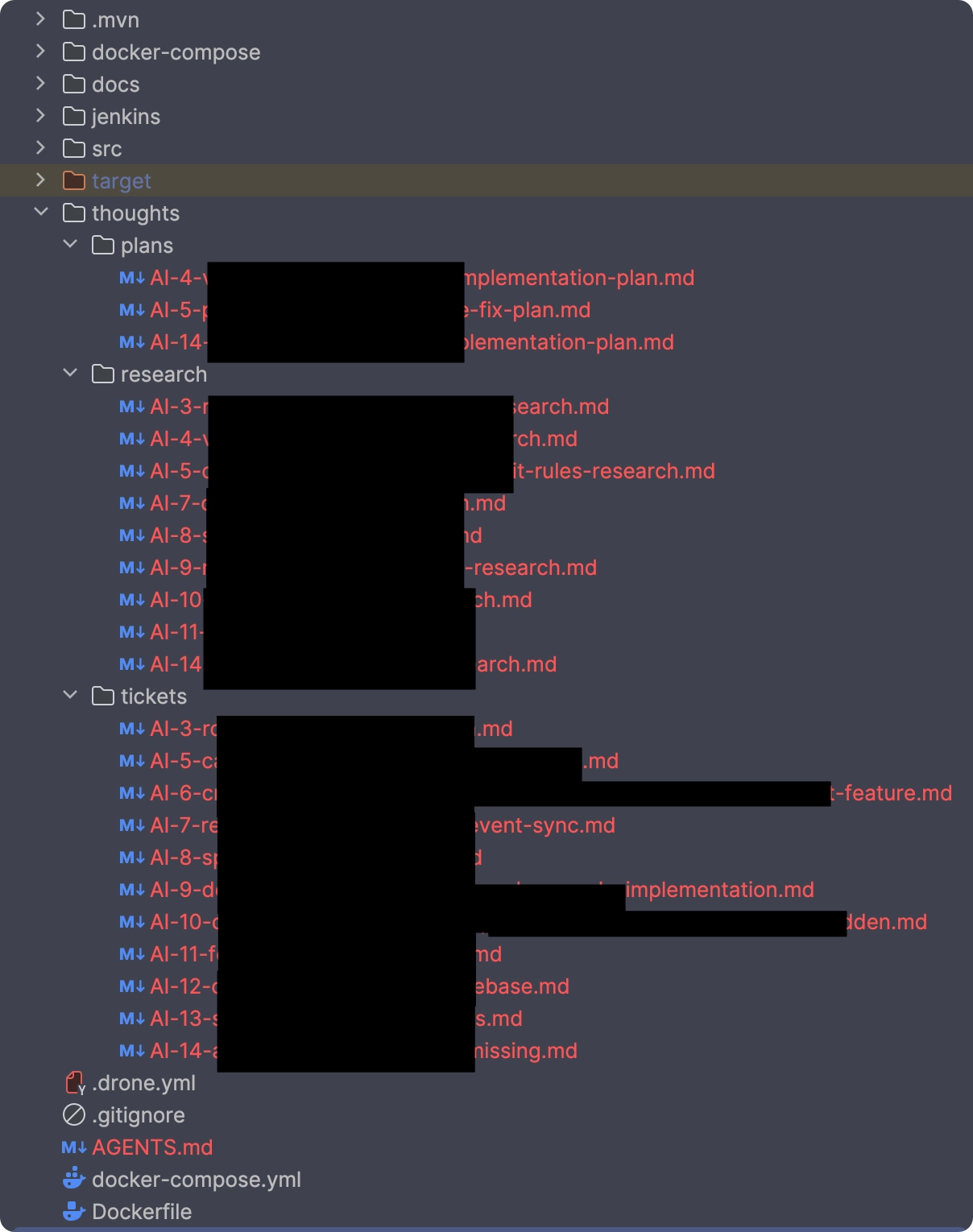
I have one folder called thoughts in the project root with 3 sub-directories which I only keep locally (un-staged) in the repository. Each folder represents a step in the workflow.
Workflow
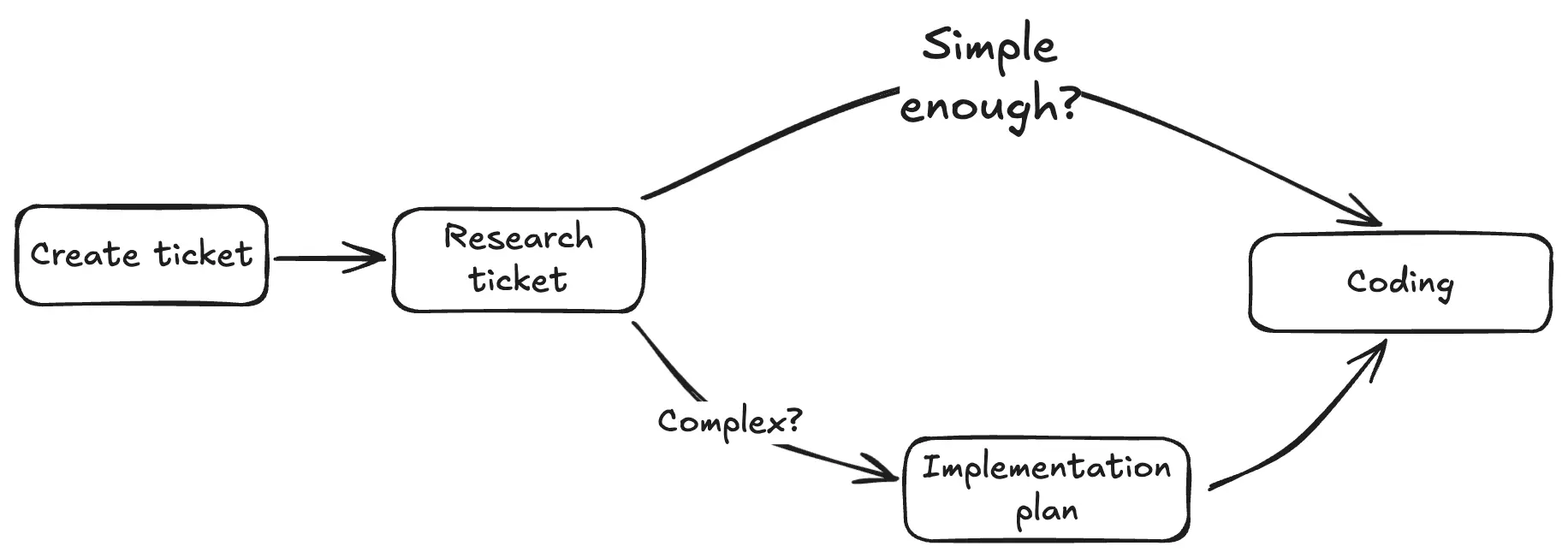
Core flow relies on following steps, some which I skip depending on how complicated the ticket is.
Create Ticket
In the thoughts/tickets folder, I create a markdown file with ticket details. I name them AI-{number}-{description}.md. I simply copy paste all the relevant stuff from JIRA ticket into MD ticket file.
Research ticket
In this step, I run the following prompt, where I tag the ticket file I created in the previous step:
Developer left a ticket for us to research and analyze @AI-17-add-new-sales-report.md
Save your resarch to the thoughts/research directory in markdown format.
Include any open questions or knowledge gaps you might have.

Good entry point for research is @SomeService.java
Currently, I don’t save these prompts. I simply type them out by hand.
After Codex completes the AI-add-new-sales-report-research.md document, I read it and remove any irrelevant details. I pay special attention to questions and knowledge gap sections, where I add my answers. In my experience, this is the most important section since It often asks questions about some “interesting code” that has a bug.
 Whoops!
If the research document is simple and 100% clear to you, you can skip the next step and go straight into coding.
Plan ticket
After research is done, I start a new agent session. This is very important, since you don’t want to pollute your context with irrelevant code.
Developer left a ticket @AI-17-add-new-sales-report.md and a research document @AI-17-add-new-sales-report-research.md
Create an implementation plan and save it in markdown format to the thoughts/plans folder.
Don't change any code, just create a plan.
If the ticket is on the easier side you can skip the planning step.
Coding
Reload your session. Read your plan or research document and make sure your understand all changes. Tag either of these documents with similar prompt:
Developer left a ticket at @AI-17-add-new-sales-report-ticket.md
and an implementation plan at @AI-17-add-new-sales-report-plan.md.
Implement the plan.
And that is it. If you have defined a strict compile-test feedback loop, I’ve found that this approach leads to more or less the same code I would have written myself.